Latest

Windows 11 26H2 Rollout Begins with New Update Controls and Administrator Protection
News
Latest

Windows 11 26H2 Rollout Begins with New Update Controls and Administrator Protection

8 August 2026

How to Uninstall AI Models from Windows 11 Copilot+ PCs
Tutorials
Latest

How to Uninstall AI Models from Windows 11 Copilot+ PCs

8 August 2026

Unboxing of the SecretLab Assassin Creed Magpad desk  - BracalTech
Videos
Latest

Unboxing of the SecretLab Assassin Creed Magpad desk - BracalTech

18 February 2024

News

View all →

Windows 11 26H2 Rollout Begins with New Update Controls and Administrator Protection

Microsoft is rolling out Windows 11 version 26H2, the fifth major release of the operating system. Like 25H2 before it, the update ships as a small enablement package rather than a full OS upgrade, meaning installation is quick, low-risk, and shares the same platform as 24H2. If you are already on 24H2 or 25H2, you will not see a dramatic visual overhaul on day one. Most of what makes 26H2 different has been arriving throughout 2026 via cumulative updates, with the enablement package activating version-specific features and resetting the support lifecycle to 24 months for consumer editions and 36 months for Enterprise and Education.
View all (12)

Tutorials

View all →

How to Uninstall AI Models from Windows 11 Copilot+ PCs

What you’ll need # A Copilot+ PC with a qualifying NPU (Snapdragon X, Intel Core Ultra 200V or later, or Ryzen AI 300 or later) Windows 11 version 24H2 or 25H2 The August 2026 cumulative update (KB5101684) installed A restart after the update — the Settings page often does not appear until after reboot If you are on a standard laptop or desktop without a Copilot+ NPU, the AI components page will likely not appear or will list nothing removable.

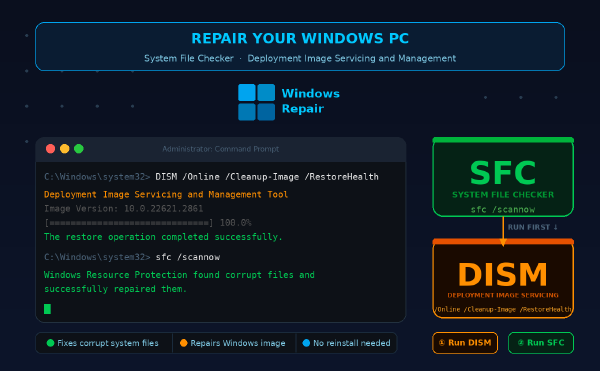
How to repair Windows system files with SFC and DISM

·686 words·4 mins
What you’ll need # Windows 10 (build 1809 or later) or Windows 11 Administrator account access Active internet connection for DISM repair source Basic understanding of PowerShell or Command Prompt 10-30 minutes depending on system state Overview # This guide walks you through repairing corrupted Windows system files using System File Checker (SFC) and Deployment Image Servicing and Management (DISM). You’ll fix files causing crashes, boot failures, or missing DLLs without reinstalling Windows.

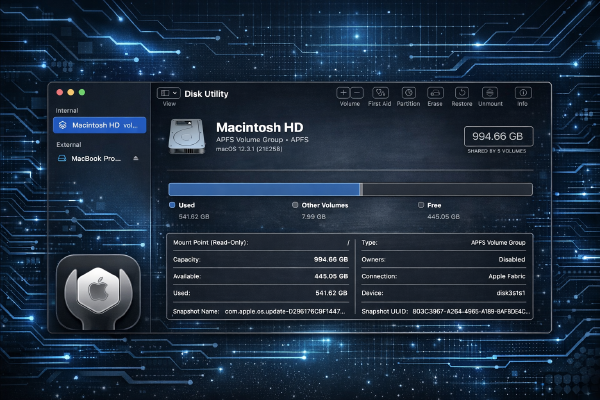
How to use Disk Utility on macOS to repair, partition, and erase drives

·776 words·4 mins
What you’ll need # macOS Sonoma 14.3 or later (tested on macOS Sonoma 14.3) Administrator privileges on your Mac External drive or secondary internal volume for testing (backup all data first) Basic understanding of file systems (APFS, HFS+, exFAT) Terminal access for command-line operations Overview # This tutorial covers using Disk Utility and the diskutil command-line tool to repair disk errors, create partitions, and securely erase drives. You’ll learn both GUI and terminal methods for managing storage on macOS.
View all (5)

Videos

View all →
Oculus Quest 2 unboxing

Oculus Quest 2 unboxing

13 June 2022

Hello everyone, Here is our unboxing of the Oculus Quest 2. Experience the most …